Work orders
Campus work order software
Turn every report from a student, faculty member or visitor into a tracked work order, with the location already filled in, an owner, a due date and a full history.
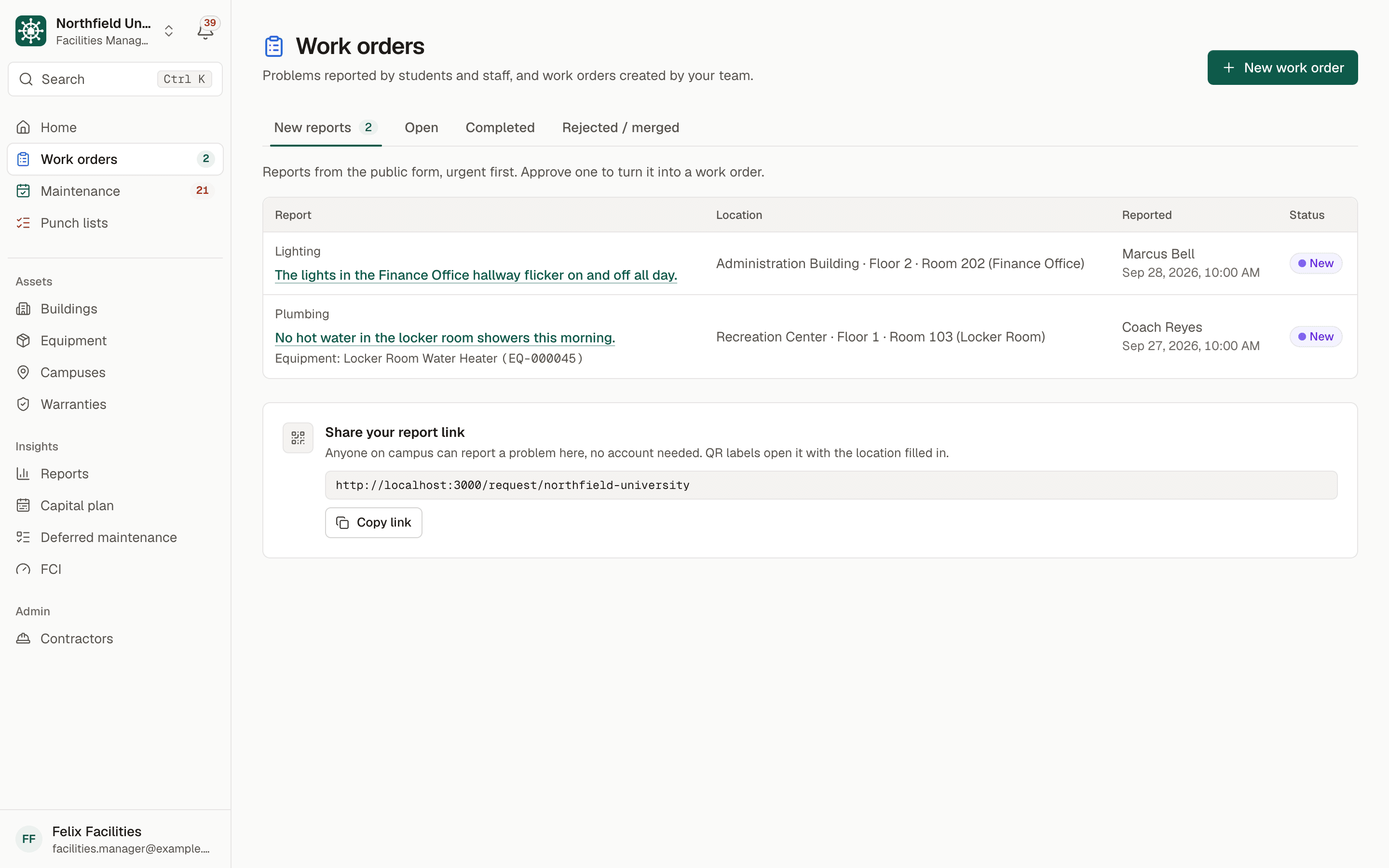
Sample data. Northfield University is a fictional campus.
The problem
Repair requests that arrive by email, phone and hallway conversation
On most campuses a leaking ceiling is reported five ways: an email to the department, a call to the front desk, a note to a building coordinator, a text to a favorite technician and a comment in the hallway. Some of those become work. Many become the same job twice, and a few never become anything at all.
The person reporting rarely knows the room number format, the building code or which category fits. Facilities then spends time calling back to ask where the problem is, while the requester wonders whether anyone received it.
Without a single queue, a director cannot say how many requests are open, how long they take or which buildings generate the most calls, and technicians begin the day with a list that is already out of date.
How BldgHelm handles it
A request form anyone can use, and a queue your team controls
BldgHelm separates the public front door from the internal work, so reporting stays easy while assigning and closing stay in the hands of your staff.
QR labels that fill in the location
Print labels for rooms and equipment. A scan opens the report form with the building, floor, room and equipment already chosen, so the report names the right asset the first time.
No account for requesters
Students, staff and visitors describe the problem, pick a category such as Heating/Cooling, Plumbing, Electrical, Lighting, Doors/Locks or Cleaning, add photos and mark it urgent if it is. Cloudflare Turnstile, a hidden honeypot and a limit on submissions keep spam out.
A tracking link by email
Requesters get a private link to follow their report, and an email when its status changes.
Review before it becomes work
A facilities manager approves a request to create a work order, merges it into a duplicate, or rejects it with a reason. Rejected requests stay on record.
Priority, due date and assignee
Each work order has a priority of Low, Medium, High or Emergency, a due date and an assignee: a technician or a contractor company.
Clear statuses
New, Approved, Assigned, In Progress, On Hold, Completed and Closed. On Hold is for waiting on parts or access.
Linked equipment and warranty warnings
Link a work order to a piece of equipment so it appears in that asset's history. If the equipment or building may still be under warranty, a banner says so before money is spent.
Reports
Open work orders by building and priority and the average time to complete. Roles allowed to see costs also get cost by building.
How it works
From setup to a working routine
Step 1: Someone reports a problem
A scan of the QR label, or the campus report link, opens a short form: where, what and how to reach them.
Step 2: Facilities reviews new reports
The new-requests queue shows each report with location, photos and reporter. Approve it, merge it or reject it.
Step 3: Assign and set a priority
Choose a priority and due date and assign a technician or contractor. The assignee is notified at once.
Step 4: The technician works from a phone
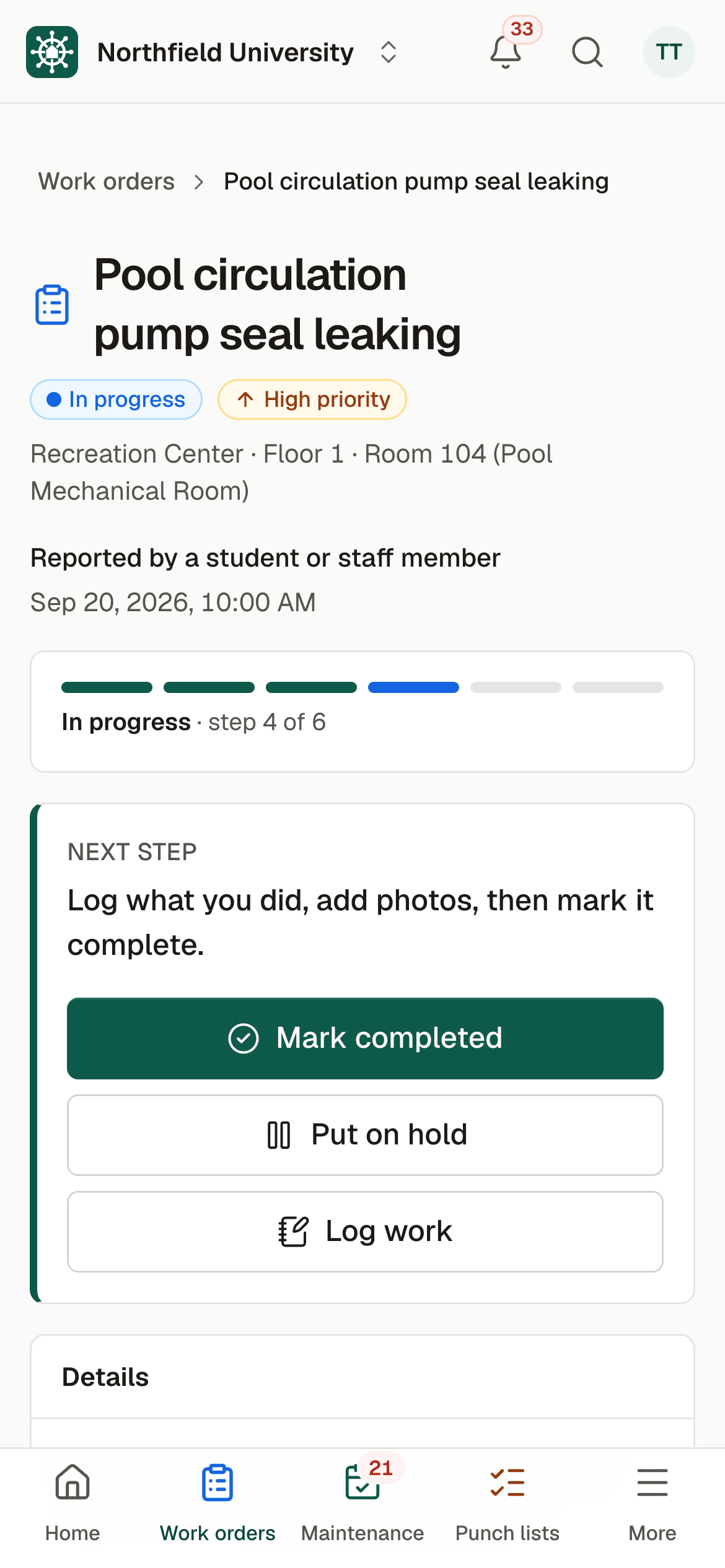
They start the job, log hours, parts and notes, and add "after" photos from the phone camera. Put a job On Hold when it is waiting on parts.
Step 5: A manager closes it
Closing keeps the full history on the building, room and equipment, and the requester can see the outcome.
Work orders sit next to preventive maintenance and punch lists, so a failed inspection or a walk-through item can become a work order in a click. Request a demo to see the queue with sample data.

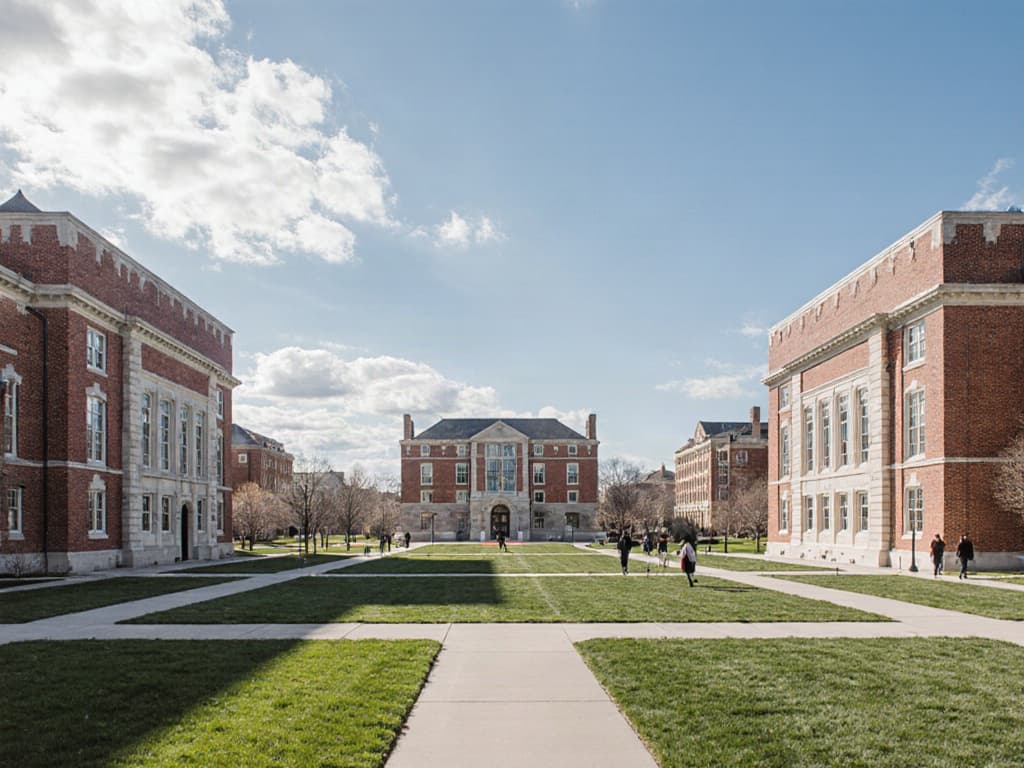
Illustrative photo.
Who uses it
Built for everyone who touches a building
Facilities directors and managers
Facilities managers review, approve, assign and close work, and see open work by building and priority without building a report by hand.
Technicians
Technicians see their assigned jobs on a phone, with the location, the report and the photos, and update status as they go.
Contractors
Vendors receive work orders assigned to their company, log their own hours and photos, and never see other vendors or your costs.
Finance and leadership
Viewers get read-only reports, including cost by building, without access to edit anything.
FAQ
Frequently asked questions
What is campus work order software?
Do students need an account to report a problem?
Can requesters add photos?
How do duplicate reports get handled?
Can we assign work to an outside contractor?
What about emergencies?
Keep reading
Related solutions
- Preventive maintenanceRecurring schedules, reminders and a clear list of what is overdue.Read more
- Punch listsPhoto capture on a phone, assignment, verification and PDF or Excel export.Read more
- Contractor portalOne vendor login across campuses, with access limited to assigned work.Read more
- Facilities management softwareThe whole platform: every building, asset, repair and inspection on campus.Read more
See your campus in BldgHelm.
A walkthrough of the three workflows with sample data, and a plan for bringing over your buildings, equipment and schedules.
Already a pilot campus? Create your account.