Punch lists
Punch list software for facilities
Walk a building, capture each issue with a photo from your phone, assign it and close it out with a manager's verification. Built for summer turnover, move-in, renovations and handovers.
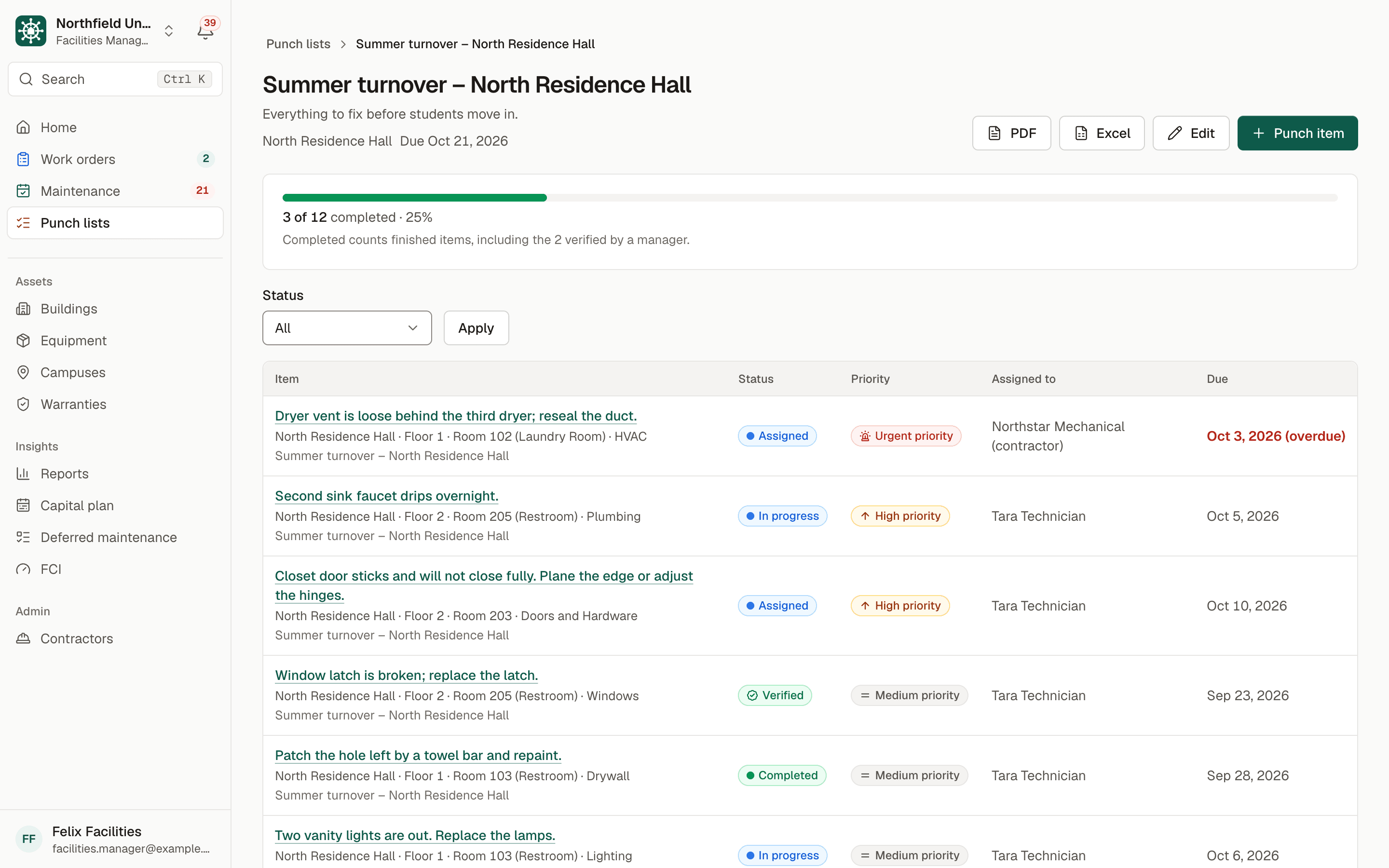
Sample data. Northfield University is a fictional campus.
The problem
Turnover season on clipboards and camera rolls
Every summer a housing and facilities team has a few weeks to inspect hundreds of rooms. The issues go onto paper lists, the photos stay in someone's camera roll and the summary arrives as an emailed spreadsheet that is out of date by lunch.
Renovation closeouts are similar. The owner walks the space and lists what is wrong, the contractor disagrees about what was fixed, and nobody can show a clear before and after.
Items slip because nothing forces a second pair of eyes. Work is marked done, the next student finds the same loose dryer vent, and the department cannot send a contractor a clean list with photos.
How BldgHelm handles it
Capture, assign, verify, export
BldgHelm punch lists are designed for the person standing in the room with a phone, and for the manager who needs to know what is left.
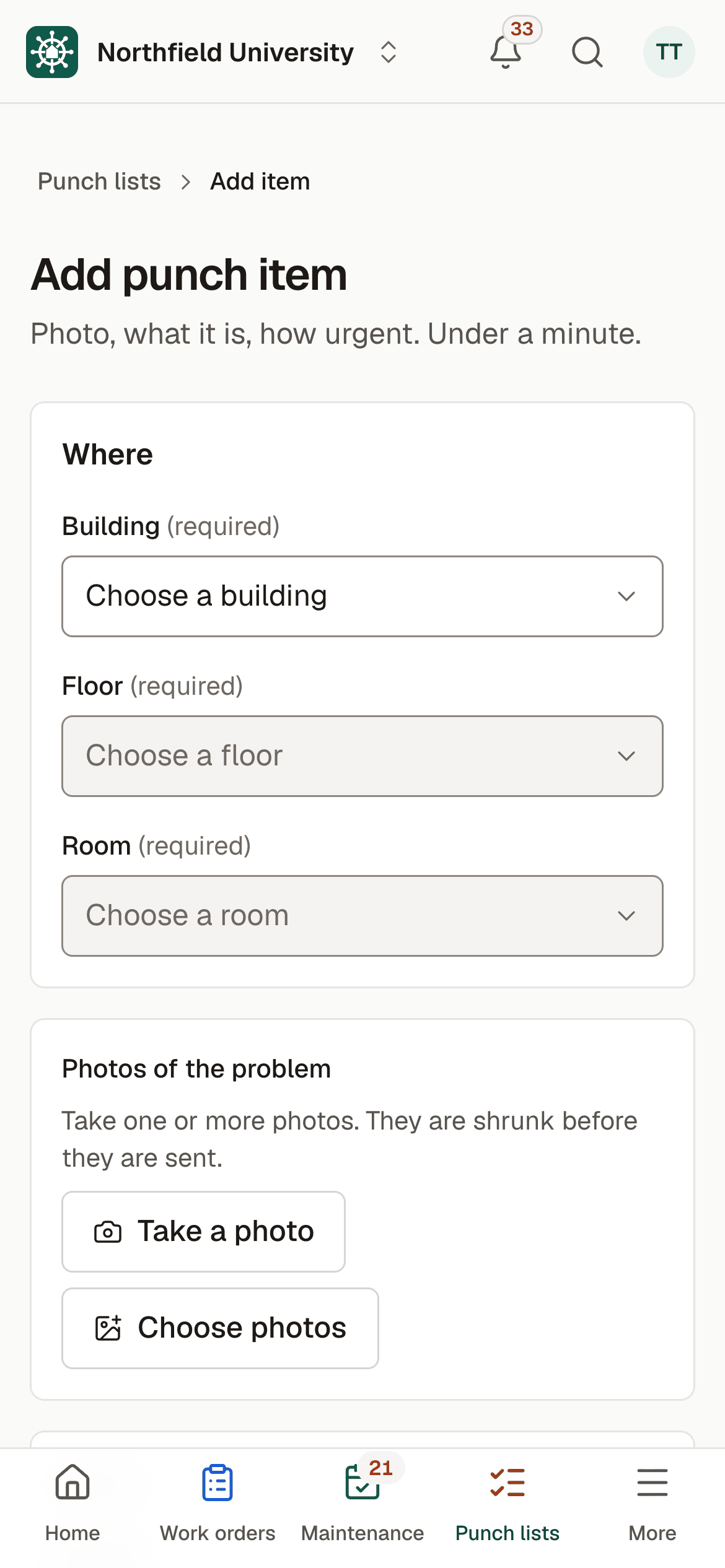
Capture in under a minute
Pick the building, floor and room, or scan the room's QR code. Take photos, choose a scope category, type a short description and set a priority of Low, Medium, High or Urgent. Assigning and a due date are optional.
Scope categories you can edit
Paint, Ceiling Tile, Flooring, Drywall, Doors and Hardware, Electrical, Lighting, Plumbing, HVAC, Millwork/Casework, Windows, Signage, Cleaning and Other. Each organization can edit the list.
Named lists with progress
Group items into lists such as "Summer turnover, Residence Hall A" or "Renovation closeout, Room 204". Each list shows how many items are completed out of the total.
A clear status path
Open, Assigned, In Progress, Completed and Verified. The person finishing an item adds an "after" photo.
Verified by a manager
An item is not done until a facilities manager confirms it. That one extra step is what keeps closeouts honest.
Escalate or add to the backlog
Turn an item into a work order with one click, or add it to the deferred maintenance backlog.
Filters and room views
Filter by building, floor, room, scope, status, priority and assignee. A room's page shows its open items.
PDF and Excel export
Export a list to PDF with photos, or to Excel, to send to a contractor.
How it works
From setup to a working routine
Step 1: Create a named list
Start a list for the residence hall, the renovation or the handover, with an optional due date.
Step 2: Walk the building and capture items
Add each issue from a phone with a photo, a scope category and a priority.
Step 3: Assign the work
Send items to technicians or to a contractor company, each with a due date.
Step 4: Fix it and add an after photo
The assignee marks the item completed with a photo of the result.
Step 5: Verify and close out
A manager verifies each item, watches the list's progress and exports the final record.
Punch items that turn out to be bigger jobs move into the work order queue without retyping. Request a demo to see a turnover list with sample data.

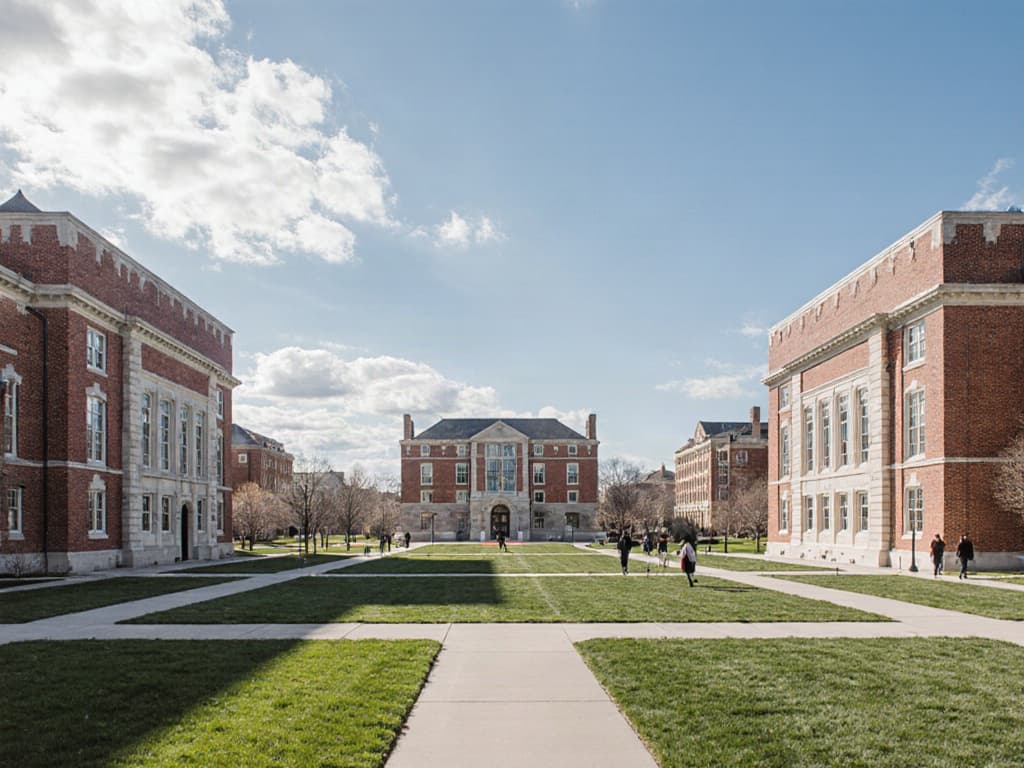
Illustrative photo.
Who uses it
Built for everyone who touches a building
Facilities directors and managers
Facilities and housing managers create lists, assign items, verify completed work and export the results.
Technicians
Technicians add items on a phone, see what is assigned to them and attach after photos when they finish.
Contractors
Contractors see only the punch items assigned to their company, update them and add photos, or receive the PDF or Excel export.
Finance and leadership
Viewers can follow progress on lists and items, and the backlog link keeps larger fixes visible for budgeting.
FAQ
Frequently asked questions
What is punch list software?
Does it work for summer turnover and for renovations?
Can technicians create items from their phones?
How do we share a list with a contractor?
Does it work without a signal?
Keep reading
Related solutions
- Campus work ordersQR-code reporting, a single queue, and every job tracked to closing.Read more
- Contractor portalOne vendor login across campuses, with access limited to assigned work.Read more
- FCI and capital planningDeferred maintenance, FCI by building and a replacement plan by year.Read more
- Facilities management softwareThe whole platform: every building, asset, repair and inspection on campus.Read more
See your campus in BldgHelm.
A walkthrough of the three workflows with sample data, and a plan for bringing over your buildings, equipment and schedules.
Already a pilot campus? Create your account.